The best productivity tools help you choose what to do, make time for it, and see what you finished. For personal use, start with a daily planner that connects tasks, habits, goals, and focus time, then add a calendar or notes tool where you need one.
The right setup depends on the work. A student may need to keep assignments and class commitments straight; someone handling personal responsibilities may need a reliable place to capture errands; a team may need shared ownership and project updates. In each case, the next action should be easy to find.
TL;DR: Identify where work gets stuck, choose tools that address that problem, and test the setup during an ordinary week. There is no universal winner. Start with the missing function, then keep only the tools that help you act or make a decision.
Choose Tools for the Work You Actually Need to Do
Start by finding where work gets stuck, not by downloading another app. Are you forgetting actions, overbooking your day, losing reference material, getting interrupted, or unsure who owns a project? Each problem points to a different tool.
| Tool type | What belongs there | When to choose it |
|---|---|---|
| Task management | Actions, priorities, tags, and due dates | Choose it when you need to see what to do next and sort work by importance. |
| Calendar and scheduling | Appointments, deadlines, and time blocks | Choose it when commitments compete for the same hours. |
| Notes and workspaces | Briefs, research, meeting notes, and reference material | Choose it when information needs a home beyond a task list. |
| Habit and goal tracking | Repeated behaviors and outcomes you are working toward | Choose it when you want to connect daily actions to a longer aim. |
| Focus timers and time tracking | A bounded work session, or a record of time spent | Choose a timer to structure a session; choose time tracking to record where time went. |
| Shared project management | Owners, shared files, discussion, and project status | Choose it when several people need to coordinate work. |
A student might put class times and assignment deadlines on a calendar, then list the next steps for each assignment in a to-do list. A professional coordinating a project may also need clear owners, shared files, and status updates. Put deadlines and appointments on the calendar; put executable actions in the task list.
A focus timer gives a session a start and finish. A time tracker records time spent on activities you choose to track; do not assume that starting a timer automatically creates that record. For team work, check whether a tool supports the shared ownership, discussion, and specific integrations your team needs. Verify support for the named service and account you use.
If deciding what fits into one day is the main problem, use the 1-3-5 task planner to sort your workload before choosing a larger task management system.
Give Notes and Shared Work a Clear Home
Keep supporting material in notes; turn the next action into a task. If you have an assignment brief, save it where you can refer to it, then make “write the opening paragraph” or “outline the argument” a task. The brief is information; the writing step is work to do.
| Tool | Supported use | A situation to consider it for |
|---|---|---|
| Google Keep | Quick notes, checklists, audio, and photos; voice capture, color-coding, and rearranging notes | You want to capture a thought or piece of reference material quickly. |
| OneNote | Notes that connect with Word, Excel, and Outlook | Your work already lives in those Microsoft tools. |
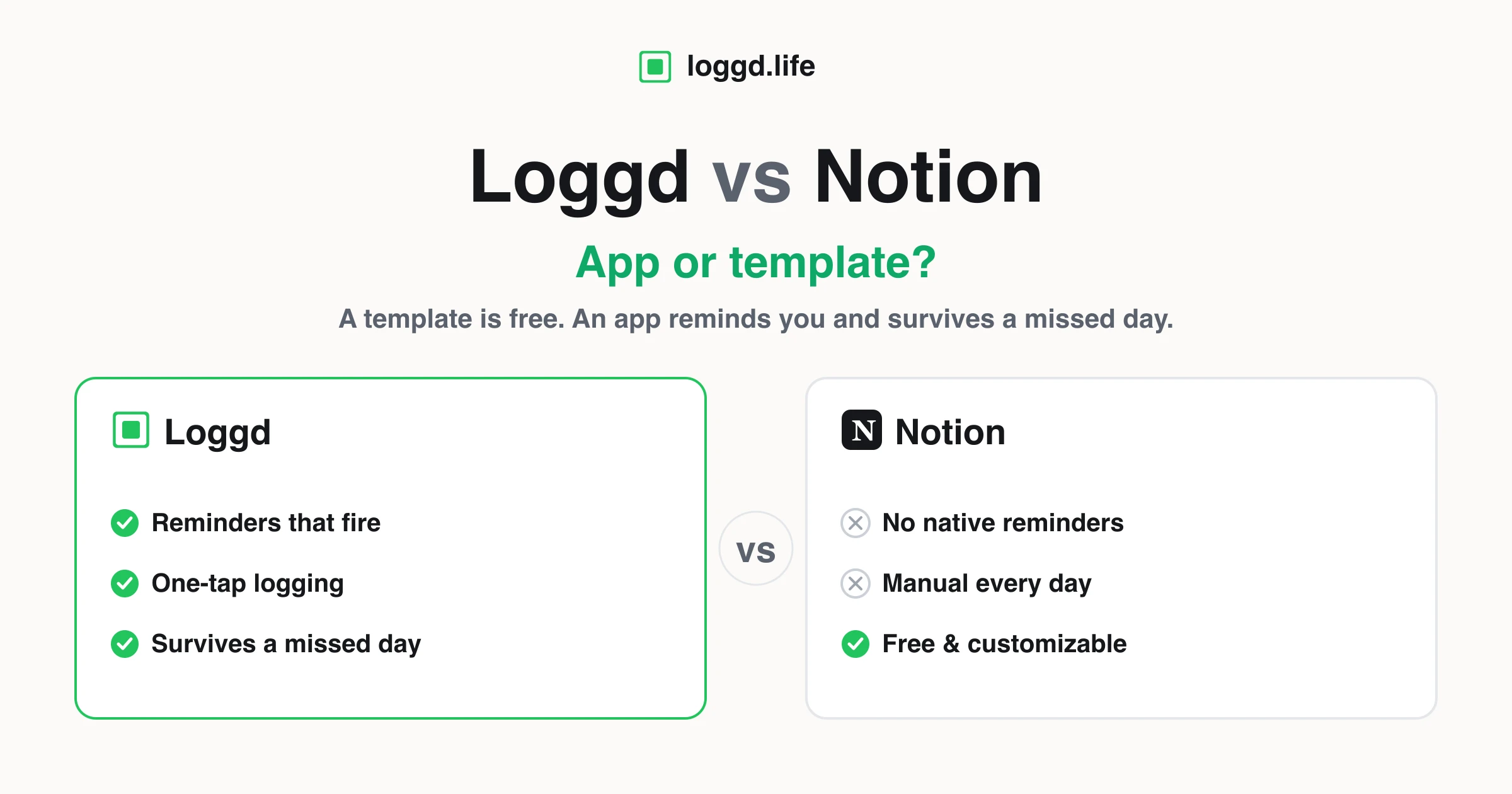
| Notion | Private or shared workspaces built from content blocks, including files, bookmarks, code snippets, and discussions | You need a more structured place for shared or personal reference material. |
Choose by trying one real task: capture a piece of reference material, then find it again when you need it. The right home is the one that handles that task well, not the one that can become the most elaborate workspace.
Connect One Weekly Goal to Tasks and Focus Time
Choose one outcome for the week, then give it actions you can fit around your real commitments. Jordan wants to submit a course essay by Friday. The goal is the submitted essay; outlining, gathering supporting material, drafting, and revising are separate tasks that move it forward.
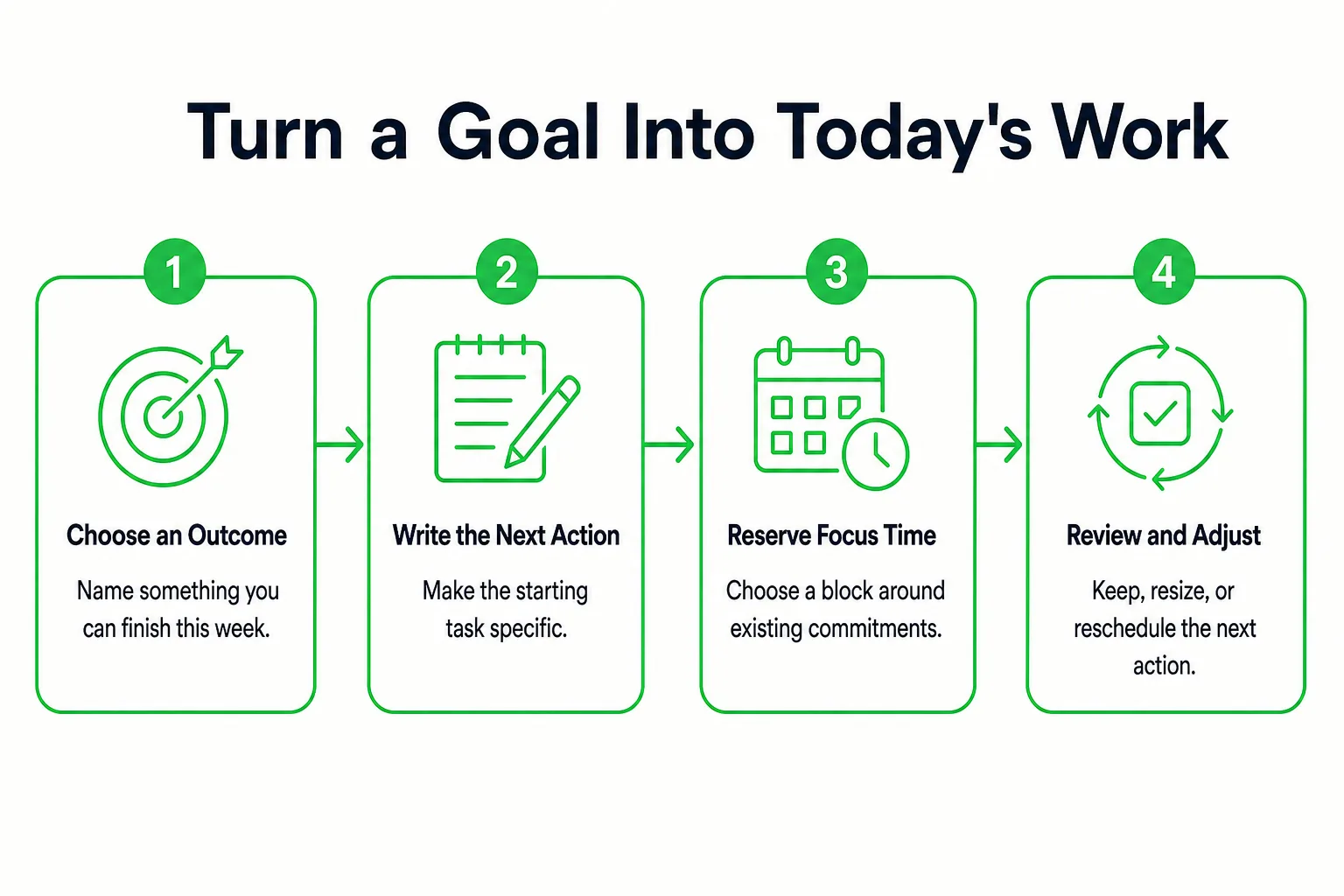
- Name the outcome. Write: “Submit the course essay by Friday.” Keep it specific enough to tell when it is done.
- List the next actions. Jordan writes “outline the argument,” “gather supporting material,” “write a draft,” and “revise the draft.” Pick the most useful action to start with: outlining.
- Reserve focus time. Jordan schedules a 30-minute outline session on Monday and a 45-minute drafting session on Tuesday. Add later work around actual availability, rather than filling every open space in advance. Keep these focus blocks on the calendar alongside existing commitments.
- Choose one supporting habit. Jordan plans to open the course materials after breakfast. That habit is a cue to begin; it is not the essay goal or a substitute for a writing task.
- Review each day. Check what moved, choose the next action, and adjust the plan if the available time has changed. When commitments compete, the 80/20 productivity analyzer can help you examine which activities deserve more attention. If the outcome needs several weeks, use the 12-week planner to connect this week's work to a longer plan.
Copy and fill in this weekly template:
- Outcome: Submit the course essay by Friday
- Next action: Outline the argument
- Priority: High
- Supporting habit: Open course materials after breakfast
- Focus appointment: Monday, 30 minutes for the outline; Tuesday, 45 minutes for the draft
- Friday review: Did I submit it? If not, what is the next action and when will I do it?
If a session gets missed, move its next action into an available block and reduce its scope if needed. Keep the goal attached to work you can still do.
Set Up a Focus Session You Can Repeat
A focus session works best when you know what you are trying to finish. Start with a 25-minute block as a practical choice; use a shorter one if getting started feels difficult. Adjust the length to the task and your day.

- Choose one task, such as drafting the essay introduction.
- Name the finish point: a rough opening paragraph, not the entire essay.
- Silence optional alerts and put away anything you do not need for this task.
- Start a timer and work until it ends, or stop sooner if you reach the finish point.
- Before taking a break, write down what remains and where you will start next.
In a study summarized by the American Psychological Association, students averaged less than six minutes before switching tasks, often because of technology distractions. That finding is a reason to reduce avoidable interruptions, not a description of every student or worker. The APA also reports that participants in a visual-focus experiment who took brief breaks maintained performance for 40 minutes. This supports making room for breaks, but it does not prescribe one timer schedule for every kind of work.
Try the free focus timer for a bounded session before adding another app. Afterward, note the task you advanced, the interruption that mattered, and your next starting point. Keep elapsed time separate from completed work: a long session and a finished task are different observations.
Keep Separate Apps Only When They Earn Their Place
Choose a setup that names the next behavior, fits an ordinary day, and gives you a way back after a missed day.
An integrated app can suit you if you want goals, habits, tasks, focus sessions, and review together. Separate tools may be the better choice when shared project work, specialized notes, or scheduling needs call for them. Try a handoff test: can you move from a goal to today's task, start working, and record progress without repeatedly copying the same information?
Motivation features are preferences, not requirements. Streaks can mark continuity; points and levels can provide feedback; badges can mark milestones; and a leaderboard can add competition for people who want it. If you mainly want a visible record of showing up, try the 100-day project grid before rebuilding your whole setup.
Keep a separate tool when you can name the work it handles better. Remove duplicate tracking that no longer helps you decide what to do.
Test Free Access and Device Handoffs
Before moving real work into a free productivity tool, check what “free” includes and where your information will live. An app available on iPhone, Android, and the web does not necessarily sync every record between those places. Test the handoff yourself before relying on it.
- Confirm whether access is ongoing or a trial, whether you need a credit card, and whether the features you plan to use are included.
- Check availability on the devices you use: iPhone, Android, or web. Treat availability and synchronization as separate questions.
- Create a sample task on one device, edit it on another, complete it, and check what appears in both places. Repeat with a habit entry or focus record if those are essential to your workflow.
- Check offline behavior, account requirements, export options, notification controls, and any work or school restrictions before adding real material.
- Decide where the working record will live. Browser tools that save on your device work differently from tools that store records with an account, so choose based on how you need to access the information.
You can use our free browser tools to try individual planning or tracking functions without signup; they save privately on your device. Then run your proposed setup through an ordinary week. Keep it if tasks stay easy to find and your review gives you a clear next action.
Build Your Daily Workflow With Loggd
Loggd is for people who want habits, tasks, goals, and focus time together. It is free on iPhone, Android, and the web, with no credit card needed. Start with one goal and add only the parts of the workflow you expect to use.
- Create a goal for Jordan’s course essay: submit it by Friday. Add the outline, gathering supporting material, drafting, and revision as tasks. Set priorities and tags so the next action is easy to spot.
- Add a flexible schedule for the supporting habit: open the course materials after breakfast. Keep this separate from the goal and its tasks. The goal is the finished essay; the habit is a repeatable cue that helps Jordan begin.
- Use Loggd’s focus timer for the planned Monday outline session and Tuesday drafting session. Tasks and focus sessions connect with goals, so that work stays together. Keep the appointments and focus blocks in the calendar Jordan already uses.
- Use the daily check-in to review what moved forward and decide what needs attention next. Each day checked off fills a grid of the last 365 days, giving Jordan a view of the year at a glance.
- Treat the motivational features as optional. Finished work gives points and supports progress through 100 levels, alongside streaks, badges, and a leaderboard. Use the features that make progress easier to notice, and leave out the ones that distract.
Begin with one goal, a few tasks, and one supporting habit. Expand the setup only when another feature solves a clear need.
Questions About Choosing Productivity Tools
Which is the No. 1 productivity app in the App Store?
Specify the storefront, category, and date before comparing a ranking, since those details define what the ranking means. Rather than choosing a winner by rank alone, test whether the app supports the workflow you actually need.
Should I import my entire old to-do list?
Move active commitments first, then review what remains. Leave behind tasks you no longer intend to do instead of carrying them into a new system by default.
Do I need separate productivity setups for school and personal tasks?
Try one capture point with clear tags or categories if that keeps both kinds of work manageable. Keep school or workplace material in approved tools when your institution or employer requires it.