
Digital detox means taking a temporary break from digital devices because you feel you use them too much. It can also mean voluntarily reducing technology use for a set period, rather than stopping it completely. Here, “detox” is a metaphor for changing a technology habit. It does not mean a medical detoxification. The term covers breaks of different sizes, so it helps to make your own meaning specific. Decide what you want to pause, how much you want to restrict it, and how long the break will last. A phone-free dinner and a weekend without recreational browsing can both fit, but they set different boundaries. The right definition is the one that makes clear what you will do.
Name What You Want a Break From
Choose an activity to pause, rather than treating every use of your smartphone as the same. Maybe you check notifications during dinner, open a feed between tasks, or scroll after getting into bed. Those are possible reasons to try a break, not diagnoses of digital dependency.

A useful boundary names the behavior and fits an ordinary day. “Use my phone less” leaves you guessing; “leave social feeds closed during dinner” gives you a clear choice when the phone is nearby. If you want to assess what changes, use the guide to digital detox benefits to choose what to observe during your break.
Distinguish a Detox From Other Screen Breaks
These terms overlap, but each points to a different boundary or setting.
| Term | What changes | Time boundary | Example |
|---|---|---|---|
| Digital detox | Selected digital activities or devices are paused or reduced | A defined period | No recreational phone use on Saturday |
| Social media detox | Use of social platforms is paused | A defined period | Leave social feeds closed for a week while keeping maps and email |
| Screen-time limit | Use is capped, often for a particular app | A daily or other stated limit | Allow 20 minutes of a selected app each day |
| Technology-free retreat | Devices are put aside as part of a setting or stay | The length of the retreat | A cabin weekend with devices stored away and emergency arrangements made |
A social media detox can be one form of digital detox. A screen-time limit describes a rule, while a retreat describes a setting. A limit can be part of a moderate detox when you adopt it for a defined period; a limit that continues without a set break is not automatically a detox. These distinctions are practical ways to describe what you plan to change, not formal clinical categories.
Choose a Light, Moderate, or Complete Break
Light, moderate, and complete are useful labels for setting the size of your break. Research has examined approaches from short-term social media abstinence to sustained, moderate device restrictions. These labels help you describe your own boundary; choose the one that matches the activity you want to pause.
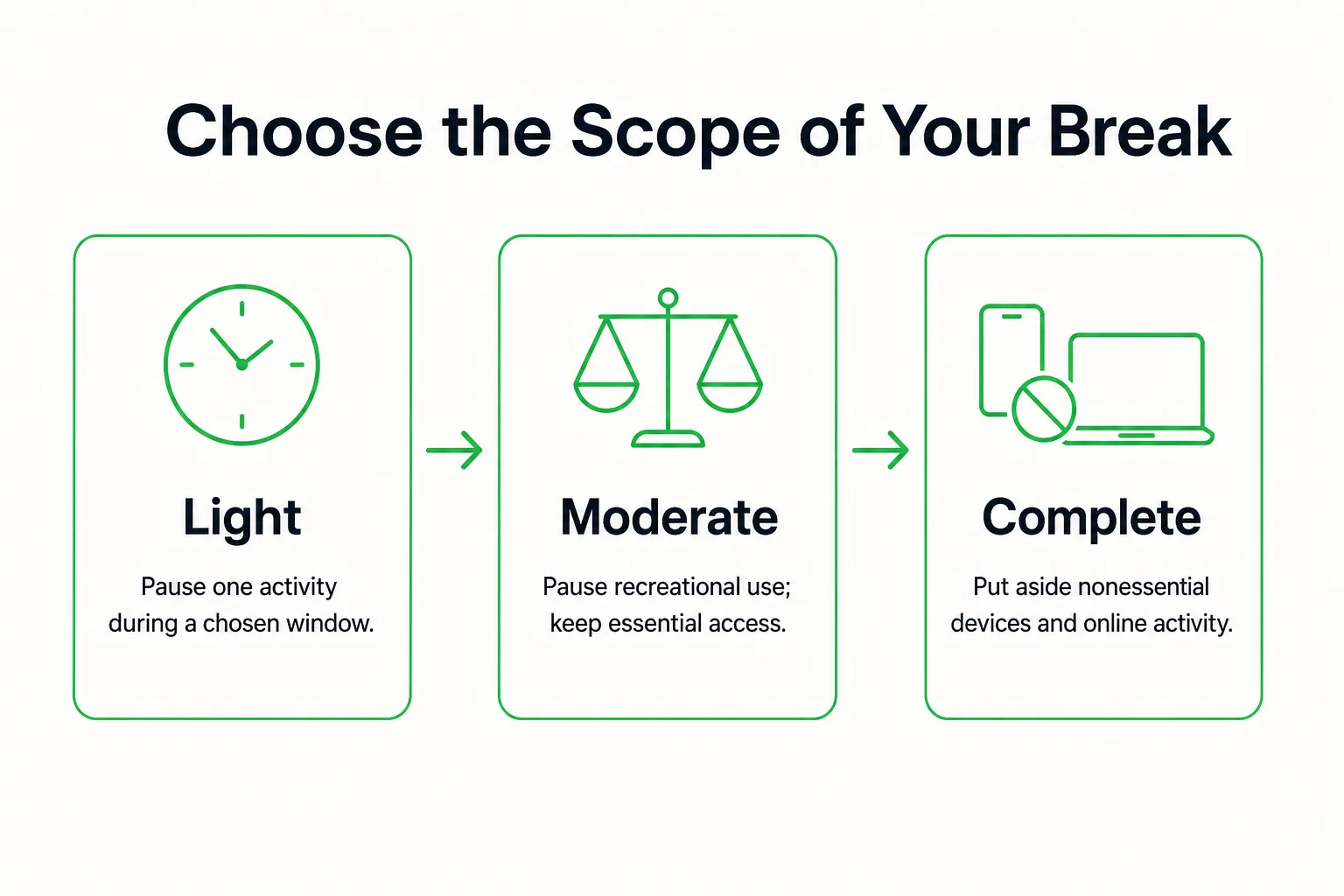
- Light: Pause one activity during a specific window, such as keeping social feeds closed during dinner. Leave other device use available.
- Moderate: Pause recreational browsing, social feeds, streaming, and gaming for the chosen window. Keep defined essential uses available.
- Complete: Put aside nonessential digital devices and online activities for the chosen window, arranging essential access before you start.
Name which devices are included: your smartphone, tablet, computer, television, or gaming device. You can include some and leave others outside the boundary. If social feeds are what you want to interrupt, a wider device break may add restrictions you do not need.
Choose an offline replacement that fits what you paused. Keep a paperback by your bed instead of scrolling, or take a walk during the time you would usually stream a show.
Decide Which Technology Stays Available
Necessary device use can fit within a digital detox. Define the break around the activities you are pausing, then state which essential uses remain available. Work or school requirements, navigation, accessibility tools, health monitoring, caregiving, and emergency contact may all need technology.
Keep access to technology needed for health, accessibility, or emergencies. Make exceptions specific to their purpose: open maps for directions, then close the phone rather than moving into social feeds. If your work requires a laptop, keep work applications available while pausing recreational browsing during your chosen window.
Calling the break “complete” is clearest when you mean a complete break from nonessential use. The boundary is about what you have chosen to pause, not whether every device is out of reach.
Before you start, tell anyone who needs to reach you which channel remains available and when you will check routine messages. That gives people a clear way to contact you without leaving every notification on.
Give Your Digital Detox a Start and End
Choose a defined period that fits the scope of your break: a phone-free dinner, an evening, a weekend, or a week away from social feeds. There is no single duration built into the term. A digital detox can mean a weekend break or certain phone-free hours each day.
To make the boundary clear, decide:
- Which activity you want to pause.
- When the break starts and ends.
- Which essential uses remain available.
- When you will review the boundary and decide what comes next.
At the end, choose whether to resume the activity, keep one useful boundary, or adjust the scope before trying another period. If you have chosen a weekend, use the hour-by-hour digital detox weekend plan to arrange that specific break. For practical rules that fit your day, read how to do a digital detox that fits your life.
You can use the digital detox tracker to track the chosen break. Keep its check-in outside your phone-free window.