
To do a digital detox, choose the distracting screen use you want to reduce, set a clear boundary, and prepare something else to do during that time. Keep the technology you need for work, care, navigation, and emergencies available.
The practical task is to change selected phone habits, not switch off every device. Notice when you open social media during a task, check messages in bed, or reach for your phone without a purpose. Recurring messages and notifications can strain the systems that regulate attention. Decide what you want to change first, then choose a short phone-free window or a longer reduction that fits your routine.
Choose Your Boundary and Detox Length
Start with your phone’s screen-time report. Note which distracting app takes your attention and when you tend to open it. Separate that from necessary screen use, such as work messages, maps, or calls. Use the report to choose a target, not to grade yourself.
Name one practical goal. You might want to keep dinner free of scrolling or finish a work priority before opening social media. Then choose a boundary that tells you what to do when you reach for your phone. “Use my phone less” is hard to act on; “keep social media closed until after lunch” gives you a clear choice.
| Duration | When to choose it | Boundary to try |
|---|---|---|
| One evening | You want to change a specific checking window | Keep social apps closed from dinner until bedtime |
| 24 hours | You want to practice alternatives through a full day | Use your phone for essential tasks, but skip your selected distracting apps |
| A weekend | You want to test leisure routines on days off | Keep feeds closed during planned screen-free blocks |
| Two weeks | You want to repeat a targeted change across workdays and days off | Set one rule for your chosen app and follow it at the times you usually check |
If you want a ready-made schedule, follow the hour-by-hour digital detox weekend plan. For a longer reduction, you can record your daily boundary in the 7 to 30 day digital detox tracker.
Prepare Essential Access Before You Disconnect
Before the detox starts, make sure necessary tools and contacts still work under your chosen settings. Use this checklist to prepare:

- Write down the start time, end time, restricted apps, and allowed uses.
- Save your route or download an offline map, then confirm you can access it before leaving.
- Check what you need for two-factor authentication. Keep the required authenticator or text-message access available, or prepare an approved backup sign-in method.
- Test alarms and medication reminders to confirm they remain available with your settings.
- Tell childcare, caregiving, and work contacts how to reach you. Agree on which channel to use and which messages need an immediate response.
- Keep your phone reachable when you need it for safety. Allow essential callers, then test the setup with a trusted contact before the detox begins.
- Send a brief availability note if it helps set expectations: “I am keeping social apps closed until Sunday evening. Call me if something needs my attention sooner.”
Once you have checked these items, put your phone somewhere deliberate, such as a bag or a shelf away from your usual seat.
Set Up a Digital Detox That Works on Workdays
-
Separate essential phone use from the uses you want to reduce. Keep calls, calendars, maps, authentication, and required work tools available. Restrict the feeds, shopping, games, or repeated checking you chose in your boundary.
-
Turn off nonessential notifications, such as promotional alerts and social updates. Keep alerts you need for the work, care, and other responsibilities you identified while preparing.
-
Set up Focus mode or Do Not Disturb with the contacts and apps you need to reach you. Test the settings with a trusted contact before relying on them. Defaults may not match your needs, so adjust them if an important alert does not come through.
-
Set an app limit or blocker for the distraction you chose. A scheduled window for checking messages or social media gives you a clear time to return, instead of making the same decision every few minutes. Put social, shopping, and game apps somewhere less immediately accessible, such as a folder off your home screen.
-
Start with a 45-minute focus block, then check messages afterward. Repeat around meetings and agreed response times, shortening the block if your role requires faster replies. Harvard Health recommends focus blocks and settings that remove online interruptions.
When you use your phone for a necessary task, finish that task and close it before opening an unrelated app.
Plan What to Do When You Want to Check
Choose an offline replacement for each time you usually check your phone. Use what you already have: put a paperback beside the couch, plan a short walk after lunch, or set out dinner ingredients before your usual scrolling window.
- If you feel bored: Put one easy activity within reach and decide its first action. For example, open a book to the bookmark.
- If you check automatically: Move the phone away from its usual resting place. Put your replacement activity there instead, so it is the first thing you see.
- If you feel FOMO or uneasy: Write down what you want to check, then wait for your next planned checking window. If the boundary is interfering with necessary contact, narrow it so essential messages can reach you.
- If someone expects a quick reply: Repeat your availability message and offer a specific time to catch up. For example, say you will check in after dinner.
- If you need your phone for safety or navigation: Use that function. Then close it and return to your boundary.
- If you start scrolling without meaning to: Close the app and note what prompted the check. Change one setting or move a replacement activity into reach, then continue with the next choice. Resume the boundary without extending it as a penalty.
Review the Boundary Before You Extend It
Before you start, make a brief baseline record. Use the same observations afterward: target-app minutes, interruptions during one focus block, when you went to bed and your morning energy, mood, and whether you completed the day's chosen priority. Compare similar kinds of days where possible, and note unusual deadlines, illness, or disrupted nights alongside the record.
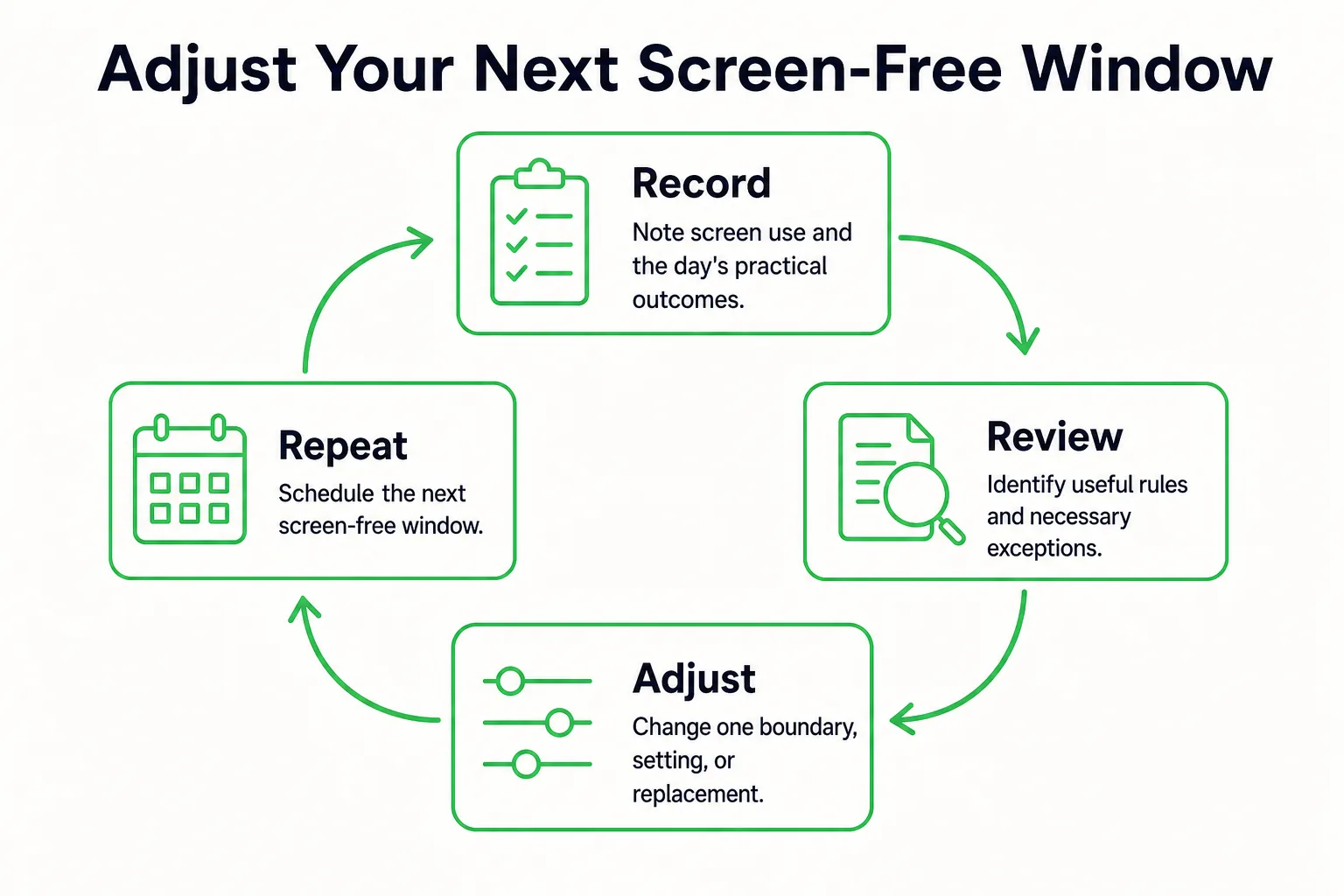
At the end of your chosen period, ask three questions: Which boundary helped? Which one blocked something necessary? Which replacement was easy to repeat? Use your answers to keep a useful rule, loosen an exception that got in the way of responsibilities, or change the setting that allowed repeated checking.
Research summarized by Georgetown suggests that partial reductions may improve well-being and attention. Use that as a reason to choose a manageable boundary you can continue, rather than assuming you need to disconnect from everything. Your own notes can help you decide what to adjust, but compare them as observations, not proof that the boundary caused a change. For a fuller before-and-after record, use the measurable seven-day digital detox plan.
Put your next screen-free window on the calendar, and prepare its offline replacement.
Sources
- Concentration & focus
- Put Your (Smart) Phone in the Friend Zone
- Digital Detoxes Work. How Reduced Screen Time Will Help You