TL;DR. A weekly review is a 20-to-30-minute GTD ritual where you clear your head, review where everything stands, and plan the week ahead. David Allen calls it the single most important habit in Getting Things Done, because a system you never review is a system you stop trusting. The fastest version is five questions: what worked, what was hard, what to change, what you are grateful for, and your top priorities for next week. Loggd has a free weekly review tool that walks you through exactly those, saves your history in your browser, and exports to text or markdown. No signup.
What is a GTD weekly review?
A weekly review is a recurring ritual, usually 20 to 60 minutes, where you step back from doing the work and look at the whole picture: clear out everything that has piled up, review where your projects and commitments stand, and decide what matters for the week ahead.
It comes from David Allen's Getting Things Done (GTD), where he calls it "the critical success factor" for the entire method. The logic is simple and a little uncomfortable: a task list you do not review regularly stops being trustworthy. And the moment you stop trusting your list, your brain quietly takes the job back, which is exactly the open-loop stress GTD is supposed to remove. The weekly review is what keeps the system, and your head, current.
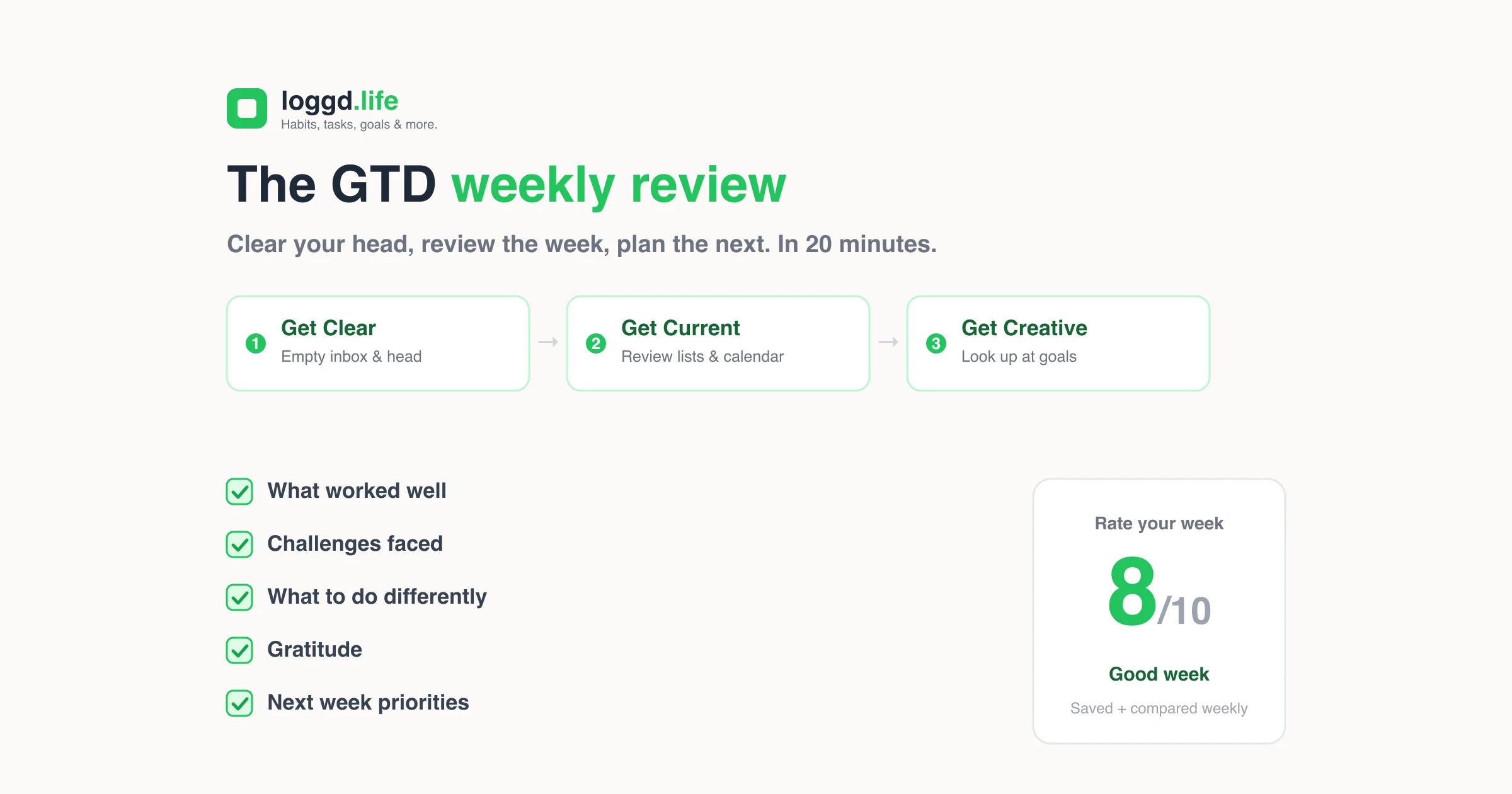
GTD splits the review into three phases:
- Get Clear. Collect every loose note, scrap, and open item. Process your inbox to zero. Empty your head of anything you are still carrying around.
- Get Current. Review your next-actions list, your calendar (the past two weeks and the upcoming ones), your projects, and anything you are waiting on from other people.
- Get Creative. Look up. Review your goals and areas of focus, and capture any new ideas or someday/maybe projects.
You do not have to run all of GTD to get value from this. The weekly review works on its own.
The weekly review checklist
Here is the full GTD-style checklist. Treat it as a menu, not a mandate. Pick the rows that match how you actually work.
| Phase | Step | Why it matters |
|---|---|---|
| Get Clear | Collect loose papers and notes | Nothing lives in your head or on sticky notes |
| Get Clear | Process inbox(es) to zero | Email, messages, and capture tools all emptied |
| Get Clear | Empty your head | Brain-dump any new commitments or worries |
| Get Current | Review next-actions list | Mark done, delete dead items, add what is missing |
| Get Current | Review your calendar | Last 2 weeks for loose ends, next few for prep |
| Get Current | Review waiting-for list | Chase anything stuck on someone else |
| Get Current | Review projects | Every active project has a clear next action |
| Get Creative | Review someday/maybe | Promote, demote, or delete |
| Get Creative | Review goals and focus areas | Make sure the week's plan ladders up to something |
If that looks like a lot, it is. Which is exactly why most people bounce off the full GTD version and quit. So here is the shorter version that survives a busy week.
The 5 questions that make a weekly review stick
You can capture 80% of the benefit with five reflection prompts and a rating. This is the version Loggd's tool is built around, because it is the version people actually repeat.
- What worked well this week? Start with the wins. Naming them makes you keep doing them, and it sets a tone that is not pure self-criticism.
- What challenges did I face? Be specific. "I kept getting pulled into Slack" is more useful than "this week was hard."
- What will I do differently next week? Turn each challenge into one concrete change. Not a resolution, a single adjustment.
- What am I grateful for? Gratitude is not filler. It is the thing that makes the review feel worth doing rather than a chore, which is what keeps the habit alive.
- What are my top 3 priorities for next week? Three, not ten. If everything is a priority, nothing is.
Then rate the week from 1 to 10. One number, every week. On its own it means little. Across two months it becomes a pattern: which weeks drained you, which ones felt good, and what was different about them.
How to do a weekly review in 20 minutes (step by step)
You do not need a free afternoon. Here is a tight version that fits in a coffee break, and it maps exactly to the free weekly review tool.
- Pick the week. Open the tool and confirm it is set to the week you are reviewing. It defaults to the current week, Monday to Sunday.
- List your wins. Two minutes. What actually got done or went well? Type it into the "what worked well" prompt.
- Name the challenges. Two minutes. What got in the way, and what did you learn from it?
- Decide one change. Two minutes. Write what you will do differently next week in the third prompt.
- Add gratitude. One minute. A few things, people, or moments from the week.
- Set three priorities. Three minutes. Your top intentions for the week ahead, in the priorities prompt.
- Rate the week 1 to 10. Ten seconds. Slide the rating and let it become a data point.
- Save it. The tool stores the review in your browser so you build a history and can compare it against last week. Export to text or markdown any time if you want a copy in your notes.
That is the whole loop. Friday afternoon or Sunday evening, same slot every week.
Why a weekly review pairs with habit tracking
A weekly review is reflection. Habit tracking is the raw material that reflection works on. The review is where you look at the week you just tracked and ask "what does this pattern tell me?"
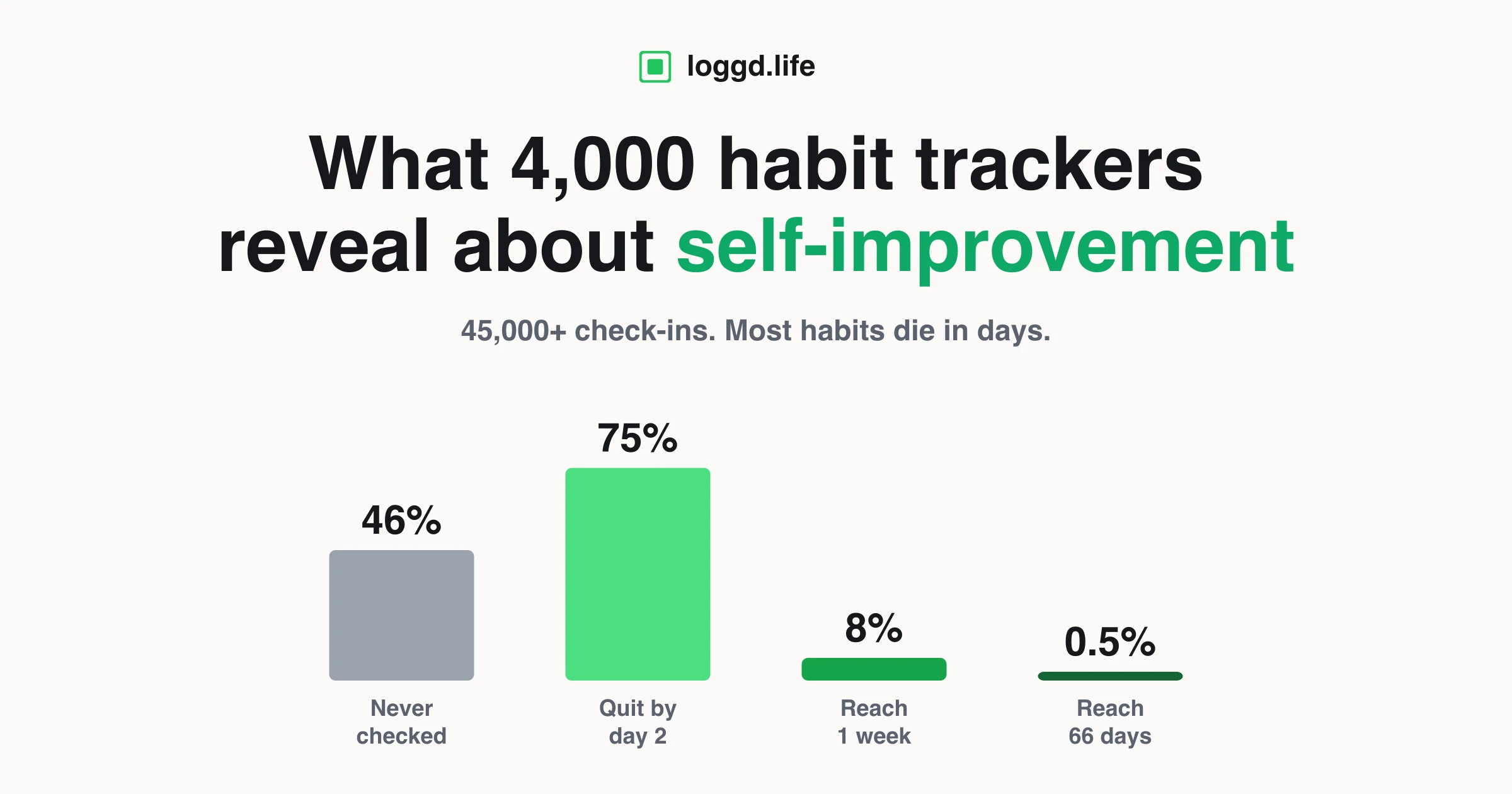
This matters more than it sounds, because reflection without data drifts into vibes, and data without reflection just piles up. We have seen this in our own numbers. In our analysis of thousands of real habit trackers, most habits die in the first few days, and the people who last are the ones who notice their pattern early and adjust rather than quitting in shame. A weekly review is the structured moment where that noticing happens.
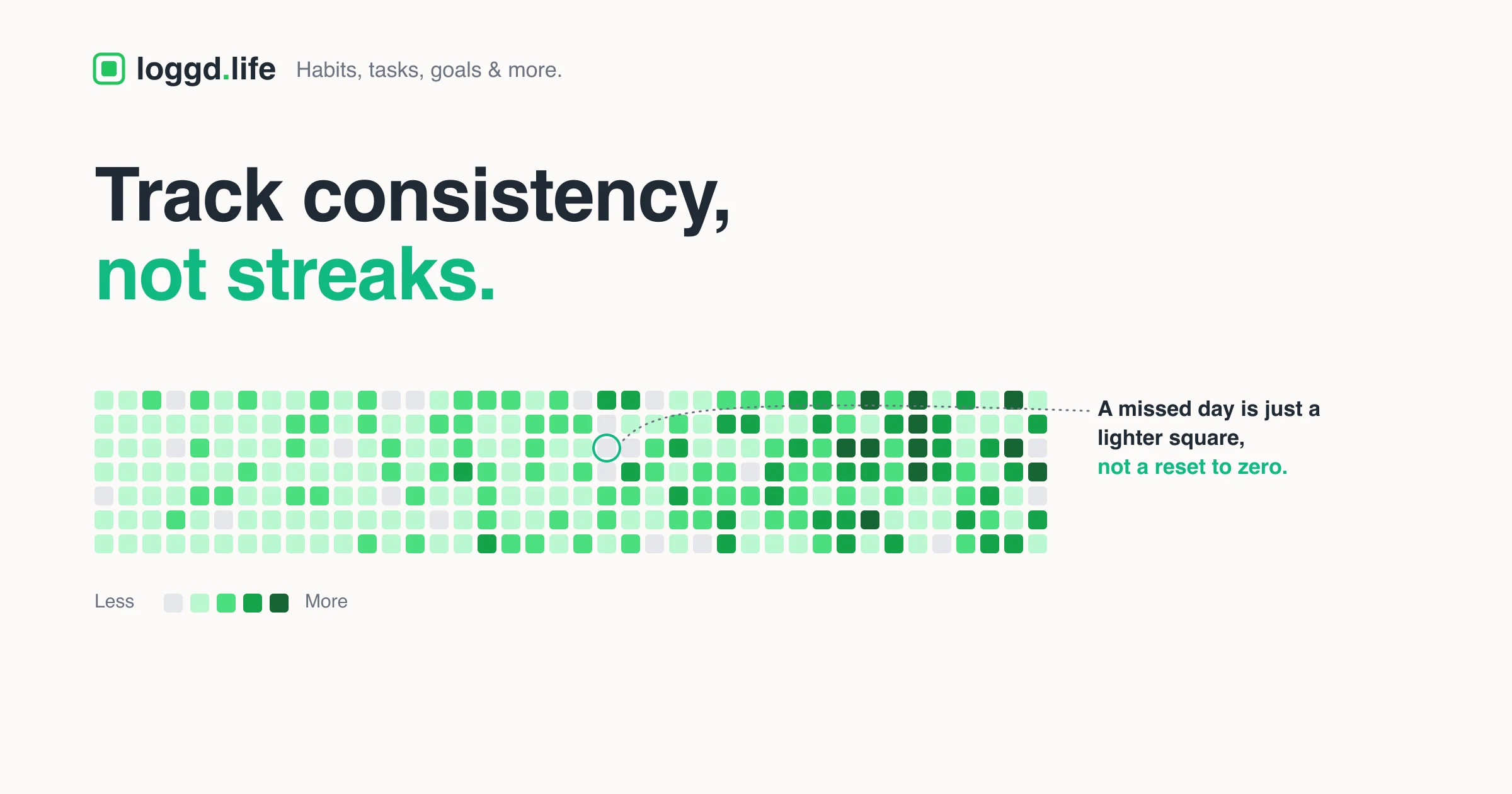
It also reframes a bad week. If you track habits on a contribution grid instead of a streak counter, a missed day is one lighter square, not a failure. The weekly review is where you look at the grid, see the dip, and turn it into your "one thing I will do differently" instead of a reason to give up. The grid shows you the truth; the review decides what to do about it.
To be clear about what the tool is: Loggd's weekly review tool is a standalone, browser-local reflection tool. It does not yet pull your tasks and habits into the review automatically. You do that part by hand, glancing at your tracker as you fill in the prompts. The pairing is a workflow, not a one-click sync, and it still works.
Frequently asked questions
What is a GTD weekly review?
A 20-to-60-minute ritual from Getting Things Done where you clear your inbox and your head (Get Clear), review your lists and calendar (Get Current), and look at goals and new ideas (Get Creative). David Allen calls it the critical success factor of the whole system.
How long should a weekly review take?
Allen suggests 1 to 2 hours at first, 30 to 60 minutes with practice. But a 20-minute version you actually repeat beats a 90-minute version you skip. Consistency over completeness.
What is on a weekly review checklist?
Collect loose items, process inboxes to zero, empty your head, review next actions, calendar, waiting-for, projects, someday/maybe, and goals. Then add the five reflection questions on top.
When is the best time to do a weekly review?
Friday afternoon (close the week) or Sunday evening (plan ahead). The exact time matters less than picking one slot and protecting it every week.
What questions should I ask in a weekly review?
What worked, what was hard, what to do differently, what you are grateful for, and your top three priorities for next week, plus a 1-to-10 rating. Those five prompts are what Loggd's tool is built around.
Do I have to follow GTD to do a weekly review?
No. The structure comes from GTD, but the habit of stopping weekly to clear your head, review, and plan works with any system or none.
About the author
I'm Eusebiu, the solo founder building Loggd. I have been a dev contractor for about five years and I am going full time on Loggd, building it in public and sharing the journey with a growing audience on Threads. I run a version of this weekly review most Friday afternoons, because building a product solo means nobody else is going to tell me whether the week actually moved anything. The tool exists because I wanted my own review to take 20 minutes, not an hour, and to leave a trail I could look back on.
Last updated: June 2026. Annual refresh.
Run your first weekly review
You can do this right now, no account needed. Open the free weekly review tool: five guided prompts, a 1-to-10 rating, saved history so you can compare weeks, and export to text or markdown. Twenty minutes this Friday, and you start the next week with a system you actually trust again.