The most useful goal achieving apps match the work your goal requires. Choose a habit tracker for repetition, a task app for deadlines, a calendar for time, or a project board for connected steps. This list pairs recognizable apps with a reason to try each one, rather than declaring a universal winner. Your choice depends on the goal, how you like to plan, the devices you use, your budget, and whether someone else needs to see your progress. Start with one candidate and one goal you already have. Test how well the app handles that goal before moving the rest of your plans into it.
Which Apps Fit Goals You Repeat?
Recurring actions suit a habit-focused tool: you want to record something you do repeatedly, not organize a project with many different steps. Try these options by entering a real action and checking how the app handles your actual routine.
1. Loop Habit Tracker for a Habit-First Routine
Loop Habit Tracker belongs on your shortlist if your main need is to record repeated actions. Test it on the device you intend to use. Create one habit, enter progress for an occurrence, then find that entry in the history. Notice whether the record is clear enough to guide your next choice.
Use your own reading routine as a test. Say you plan to read on Tuesday and Thursday evenings. Check whether the app lets you represent those chosen evenings, rather than treating every other day as a miss. Look at the schedule controls, the way you can change a reminder, and how skipped or missed entries appear. These are things to verify in the version you try, not features to assume.
2. Habitica for Game-Like Check-Ins
Habitica is worth trying if game-like feedback makes a routine feel more engaging to you. Add one ordinary check-in, use it as you normally would, and ask whether the game elements support the action or create another task to manage. A streak or game marker tells you about recorded activity; it does not by itself show whether you reached the larger goal.
For either option, choose a history view that helps you make a decision. The CDC says tracking progress can help you see what is working, so look for a record you can read and use, not just one that looks satisfying. Check whether the app handles your chosen schedule accurately, lets you control reminders, and makes it straightforward to record a skipped occurrence without losing track of the next one.
If cost matters, compare access before settling on a tool. The free habit tracker guide can help you inspect which options are available at no cost and what limits to check. Focus on whether the version you are considering supports your schedule and device; do not assume every app’s free access works the same way.
If success means delivering something by a date, move on to task and project options instead of turning the whole goal into a streak.
Which Apps Help With Deadlines and Busy Days?
A deadline and a place to work are different planning needs. A task app can keep a commitment visible, while a calendar can reserve time to act on it.
3. Todoist for Separate Commitments
Todoist is a task-management candidate when a commitment needs a next action and a due date. Test whether you can enter a task, reschedule it, and find it again when you need it. A clean-looking list is only useful if it helps you locate and manage the work.
Use an application submission as your test. Enter “request a reference,” “revise the document,” and “submit the application” as separate tasks. Try changing the date of one, then check whether the list still makes the next commitment easy to spot. You are evaluating how the app handles your work, not how many features it can display.
4. Google Calendar or Apple Calendar for Reserved Time
Google Calendar or Apple Calendar may suit you when the missing piece is a place in the day. Put one work session beside your existing commitments, then change its time. See whether the calendar makes it easy to find the session and whether its new time still fits your day.
A task deadline marks when something is due. A calendar block marks when you plan to work on it. Ask what happens if the block ends and the task is unfinished: do you need a separate place to keep that work visible? Keeping the two roles clear helps you avoid treating a scheduled hour as proof that a task is complete.
For a busy professional, test calendar behavior before relying on it. Create one test item and check where it appears. Change its time, then confirm whether that change returns to the original app. A calendar display, a one-way subscription, and two-way updates are different behaviors; verify which one the setup actually provides instead of assuming that “calendar integration” means all three.
Check the exact combination you plan to use: your phone, browser, work account, and calendar. Make the test with the account and device you use for the goal, before moving existing work. If you want a broader Android setup rather than another goal tracker, see the Android productivity guide.
 Loggd · by the makers of this blog
Track your habits, tasks and goals in one free app.
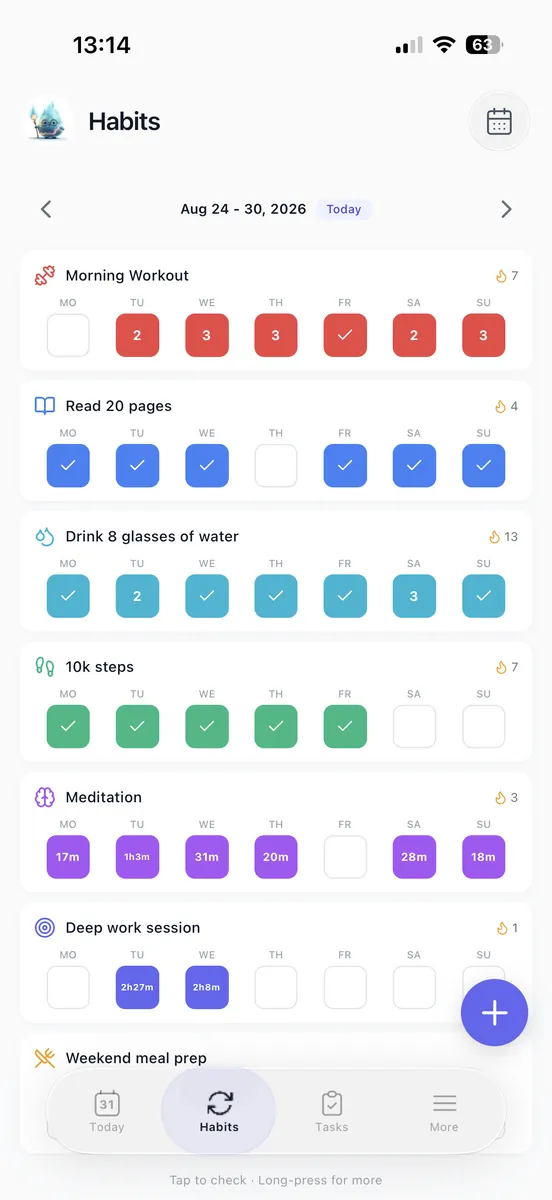
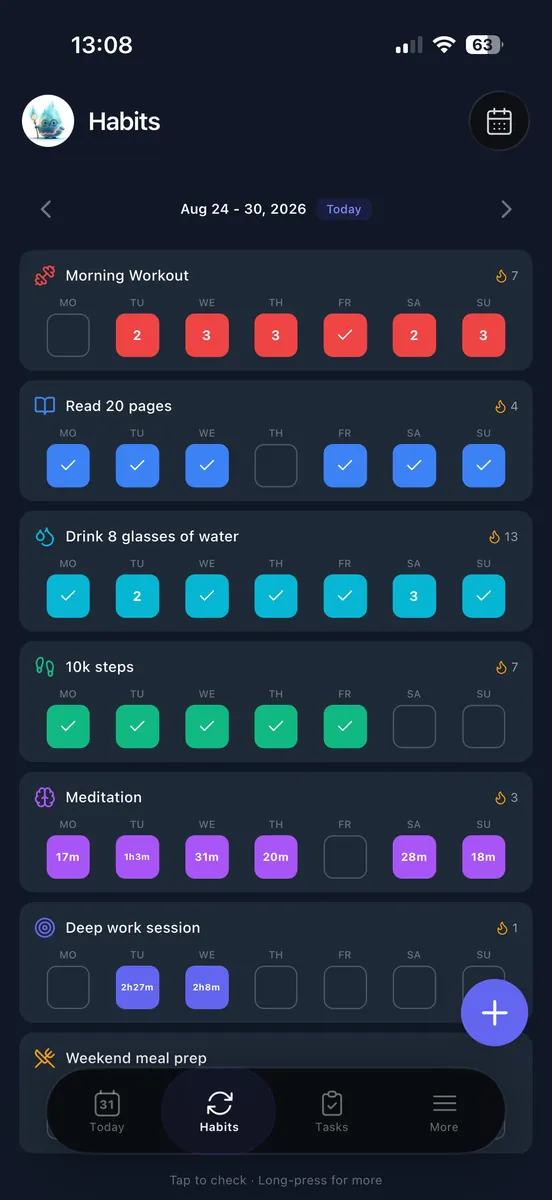
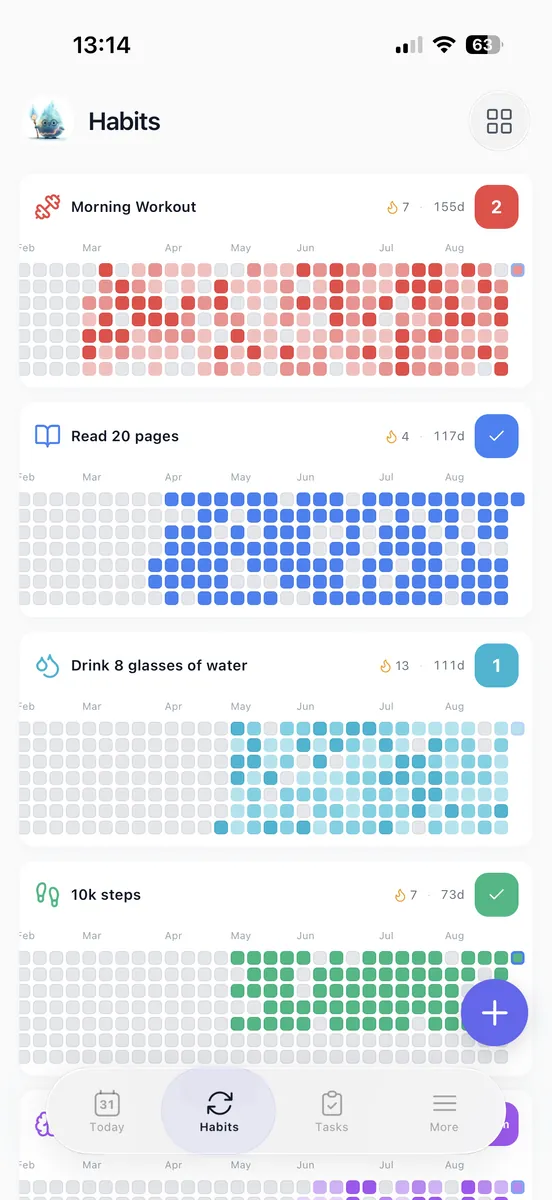
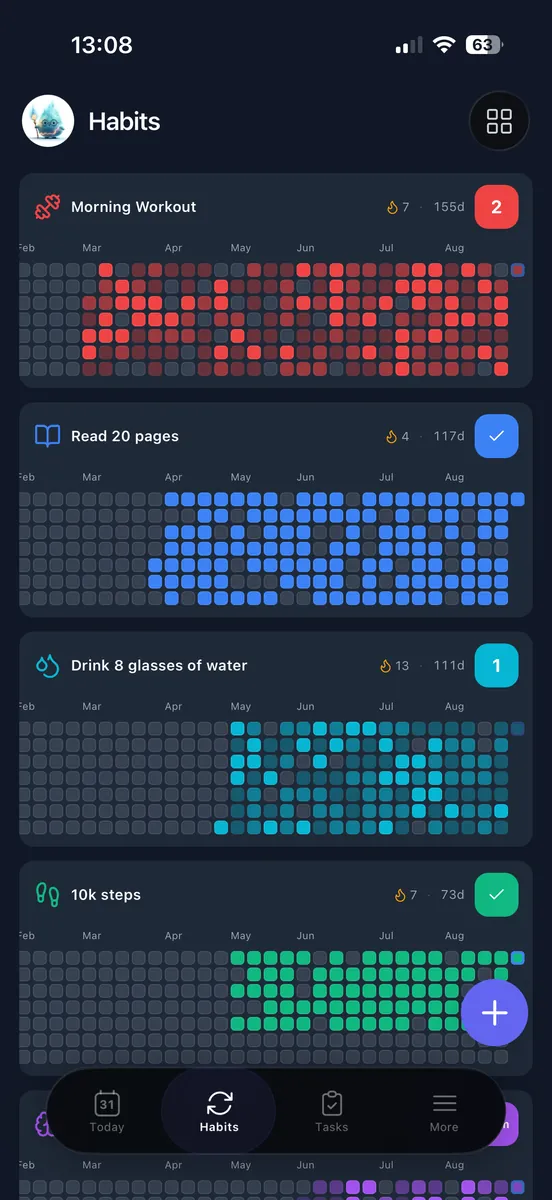
Every day you check off fills in a grid of your last 365 days, so you can see if you are getting better.


Free plan with no time limit. No credit card.


Which Apps Suit Projects and Shared Goals?
5. Trello for a Visible Flow of Work
Trello is worth testing when you want to arrange project work visually and see what is waiting, underway, or finished. Start with a simple board: make one place for work to start, one for work underway, and one for work finished. Add only the steps for a goal you already have. Can you spot the next unfinished action without searching through extra layers of setup?
Say you are launching a portfolio. Your steps might be collecting samples, drafting descriptions, arranging pages, and publishing. Put those actions in the order that makes sense for your work, then check whether the board makes the next step clear. If the view requires frequent rearranging before it helps you choose what to do, that may be a sign to use a shorter task list instead.
6. Asana for Coordinated Project Work
Asana belongs on the shortlist when a goal involves coordinating responsibilities and milestones with other people. Test the basic questions on a real piece of work: can each person involved tell who owns an action, when it is needed, and what is blocking it? If those answers take effort to find, the system may not be making coordination easier for your group.
A project management app can make more sense than a daily habit tracker when the result depends on different actions in a particular order. A finished deliverable is not necessarily one repeated action. For a personal goal, start with your own scheduled review before inviting others into the system. Use shared visibility when someone else needs to act or respond.
If your work uses objectives and key results, test whether a candidate makes the outcome measure, owner, and review date clear. That is a different need from keeping personal tasks in one place, so choose the structure your work actually calls for.
Boards need updating, and shared systems need agreement about how people will use them. If you only need a short personal list, that extra structure can get in the way. Pick the lightest setup that makes the next action visible.
What Helps You Track a Goal Across the Year?
7. A Year View for Reviewing Consistency
A yearly reviewer may want a longer record than today’s task list can provide. Check whether you can inspect past entries without difficulty, and whether the visible measure matches the goal. A record of activity can help you see what you did, but it does not automatically show whether you reached the outcome you wanted.

For a year-at-a-glance record, you can check off daily work in Loggd and review the grid of your past year. Use a view like this to notice patterns in your own activity, then compare that record with the result you set out to achieve.
For example, reading sessions show whether you made time to read. Completed books or pages show movement toward a reading goal. Keep the outcome measure alongside the activity record so a calendar of check-ins does not stand in for the result itself.
8. A Countdown for a Fixed Milestone
A countdown can help when the goal has a fixed milestone and you want to see how much time remains before choosing the next action. Use the goal countdown timer to check the time until a milestone you have chosen. A date display does not hold the work needed before that date, so keep the next action in your task list or calendar too.
If you want a visual set of varied annual goals rather than a daily streak, try the goal bingo card generator. It offers a different way to look at several aims together, while your task or calendar tool can hold the work for each one.
When you review any year-view or countdown approach, ask: can you find what you did, compare it with the result you wanted, and choose the next action without rebuilding your records? If not, consider whether the measure or the place you record it needs to change.
Which Setup Fits Your Needs and Budget?
| Reader | Starting approach | Reason to choose it | Access to check before committing |
|---|---|---|---|
| Daily habit builders | Recurring-action tracking | The main work is repeating an action on chosen days. | Confirm that the schedule, missed-entry handling, and progress history suit your routine. |
| Busy planners | Tasks plus reserved time | You need to keep commitments visible and make room to work on them. | Check task access, calendar behavior, and the devices and accounts you use. |
| Goal-focused professionals | Project coordination | Several responsibilities or milestones need to stay clear to the people involved. | Verify who can see and update shared work, and whether the needed access is available. |
| Yearly reviewers | Activity history plus an outcome measure | You want to review consistency and compare it with the result you wanted. | Check how far back you can inspect entries and whether you can record the outcome measure. |
Start with the work you need to manage, not the number of features an app advertises. For a free-first search, test a task or calendar app you already use, try a relevant browser tool for a single-purpose need, or try Loggd to bring habits, tasks, goals, and focus time together. You can use Loggd on iPhone, Android, or the web without entering payment information.
Before entering payment details, test the intended goal from start to review: create it, add the actions it requires, schedule them, open the progress history, and check essential calendar or sharing access. Look specifically at goal limits, recurring-entry limits, device access, calendar access, and shared access in the version you are considering. Do not assume the setup you saw on one device or account will behave the same way on another.
A dedicated app can suit one repeated action. A combined setup is worth testing when separate lists make it hard to find what to do next. Choose the option that handles your actual work with the least friction, and leave the rest of your plans where they are until the test shows you need to move them.
How Can You Test a Goal App in Seven Days?
Use one goal you already care about, such as finishing a book, and test it in the app you are considering. Keep the test small: you are checking whether the app supports the work you already do, not filling it with every goal you have.

- Day 1: Enter the goal and its outcome measure. For a reading goal, that might be finishing a particular book or reaching a chosen page. Return to the app’s starting view and check how easily you can find the goal again. If you need a daily page target to enter, use the reading goal calculator to work it out.
- Day 2: Add the next actions and schedule the first one. Enter the reading sessions you plan to do soon, then put the first on a realistic day. The University of Washington suggests keeping a general plan for three to seven days, which gives you enough work to test without entering the whole year.
- Day 3: Complete an action and log it. Record the reading session, then check whether the app keeps that activity distinct from the larger outcome. A completed session is useful to see, but it does not by itself tell you whether you reached the book or page target.
- Day 4: Adjust a reminder. Pay attention when it appears during an ordinary day. Keep it only if it points to a reading session you can actually do at that time. If it arrives while you are busy, move it or turn it off rather than letting an unsuitable alert become background noise.
- Day 5: Check how the app handles a change. Find how to record a missed session, skip a scheduled occurrence, or reschedule it. If you have already missed one, use that entry to test the process. You do not need to miss a useful session just to try the feature.
- Day 6: Check your main device and any essential connections. Open the goal on the phone, computer, or other device you expect to use most. If calendar or shared access matters, make a test change and confirm where it appears and whether it updates where you expect.
- Day 7: Decide whether the app earns a place in your routine. Can you find the next action? Can you record what happened? Can you review the goal without reconstructing your work from other places? Keep the app if those answers are clear enough for your needs. Change only what failed: if logging works but reminders do not, adjust the reminders before moving all your plans.
This short test shows whether the setup is usable for your current goal. It does not require you to import old records or commit to tracking everything in one place.
What Should You Change After Missed Days?
Say you return to a reading goal after missing the sessions you planned. Keep the history accurate, choose the next available session, and make that session shorter if the original entry feels too large to fit. You can then decide what to change based on the work in front of you, rather than trying to recreate a perfect run of check-ins.
A useful commitment names an action, allows for occasional gaps, and fits into a normal week. If the app makes that hard, adjust the setup:
- Resume the same action when it still fits your schedule and the goal still matters. Find the next planned session and carry on from there.
- Change the schedule or size when the action is worthwhile but the current plan does not fit. For example, move reading from busy weeknights to an open weekend morning, or reduce the next session to a few pages.
- Archive the goal when it no longer deserves your time. Keeping a goal active just to preserve a streak or a tidy dashboard can make it harder to see the work you have chosen to do now.
If the app shows a streak, look at the next scheduled action and the broader record instead of making the streak itself a new goal. If reminders are piling up, remove repeated alerts and keep one tied to a moment when you can act. If setup is taking over, retain only the goal, the next action, and the date you plan to review it.
For an abandoned project, find the nearest unfinished milestone and ask whether it still matters before rebuilding the whole board. If it does, identify one next action and decide who needs to take it. If another person is involved, accountability can be as direct as sharing that action and a review date, then reporting what happened. You do not need to add another app just to make that check-in possible.
Keep the tool if it supports the next action after you adjust the setup. Switch when an essential requirement remains inaccessible or cumbersome.