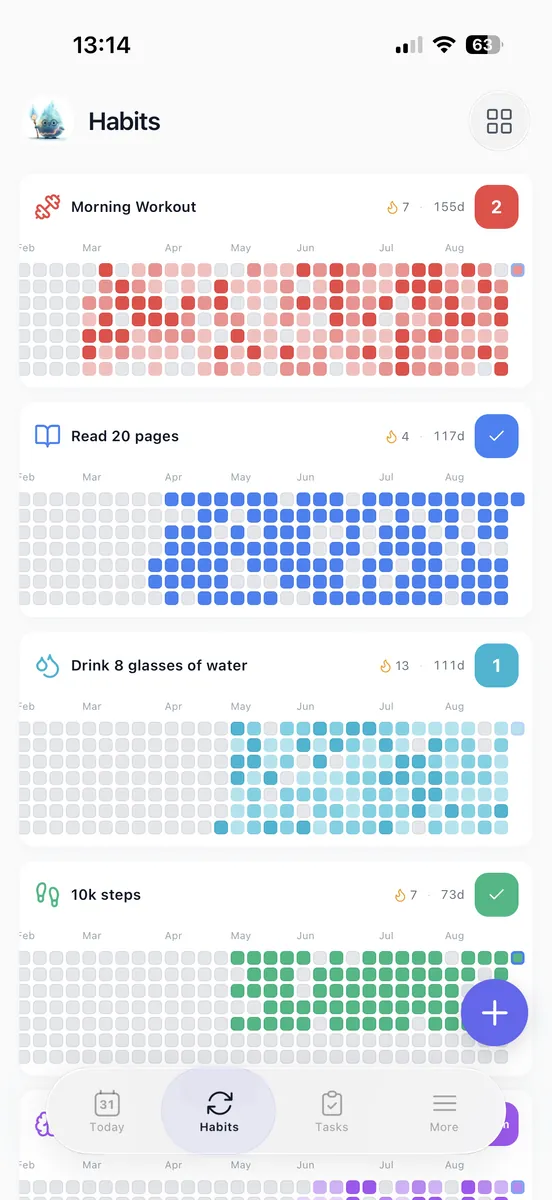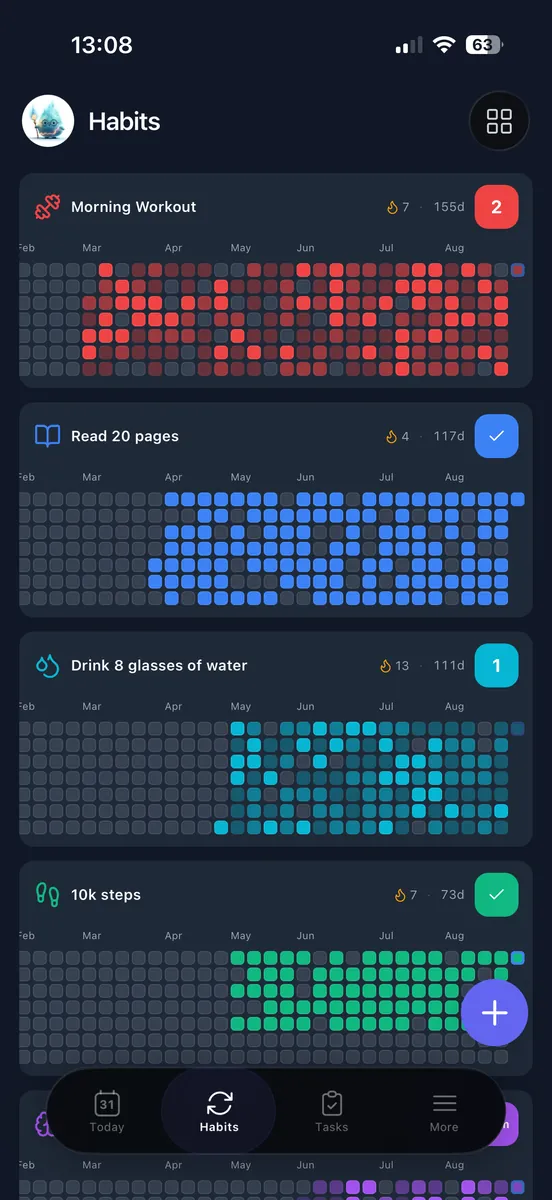
A goal tracker records what you are working toward, what you have done, and what comes next. Choose its format by the goal: checkboxes for habits, totals for numeric targets, milestones for projects, and dated evidence for goals that need judgment.
A tracker can be an app, spreadsheet, or paper log. First decide what you need to record; then choose where to keep it. Checking off a reading session records a behavior. Recording pages read tracks movement toward a reading target. Below are four formats, followed by a tool comparison, a setup example, and a weekly review you can reuse.
Which Goal Tracker Format Fits Your Goal?
Start with the finish condition. Use this decision rule:
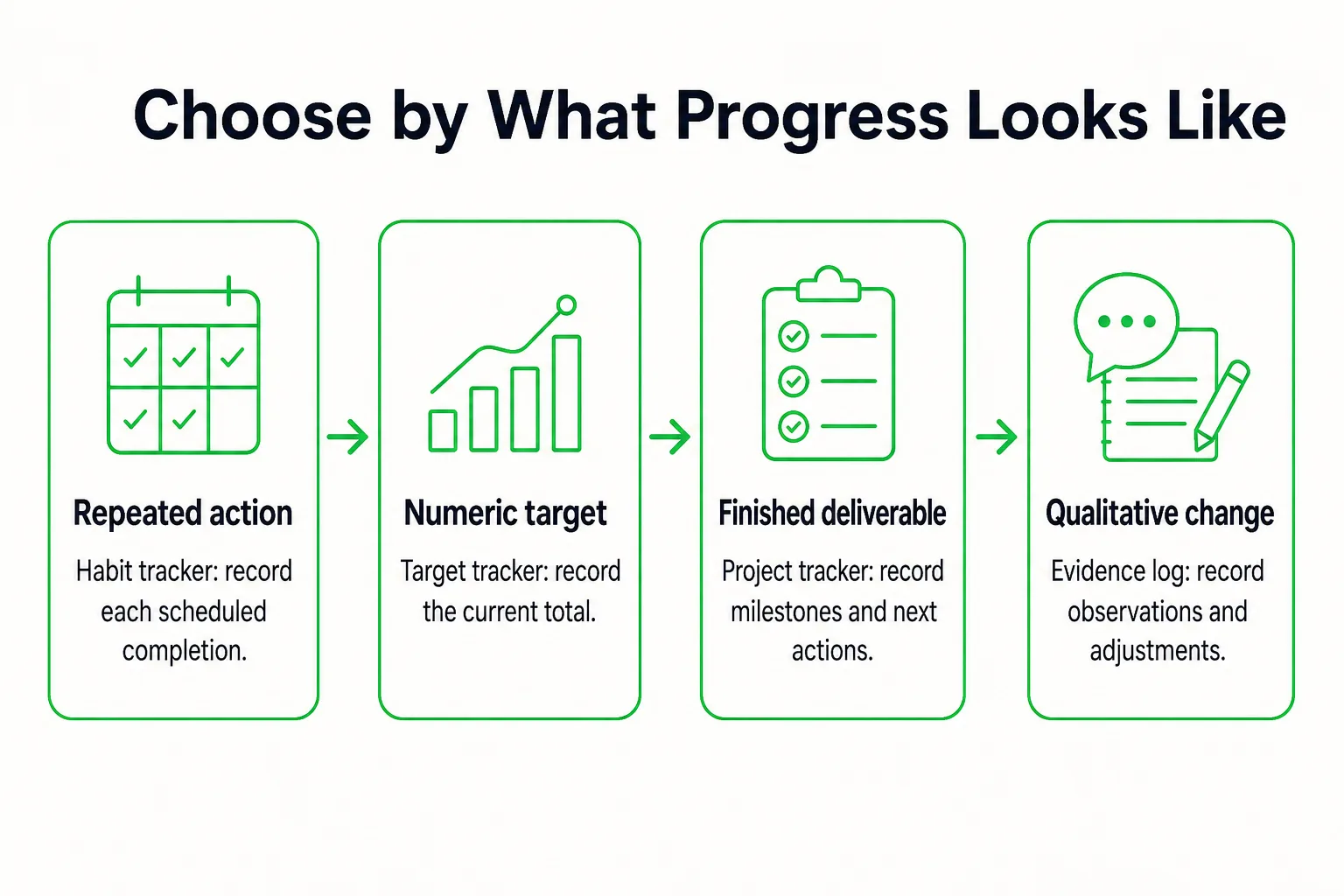
- Choose a habit tracker when success means repeating a behavior.
- Otherwise, choose a target tracker when success is reaching a total.
- Choose a project tracker when success is finishing a deliverable.
- Use an evidence log when progress needs a written judgment.
1. Habit Tracker for Repeated Actions
A habit tracker belongs here when the action itself needs to happen regularly. Record the scheduled behavior and whether it happened. For example: read for 15 minutes after lunch, Monday through Friday. The checkmark answers whether you did the action, not how close you are to a larger result such as finishing a book.
Reminders can cue the action, while streaks display consecutive completions. Treat those as prompts and a record of repetition, not as proof of outcome progress. For a time-limited screen-use goal, use the digital detox tracker to give the challenge a defined tracking period.
2. Target Tracker for Numeric Goals
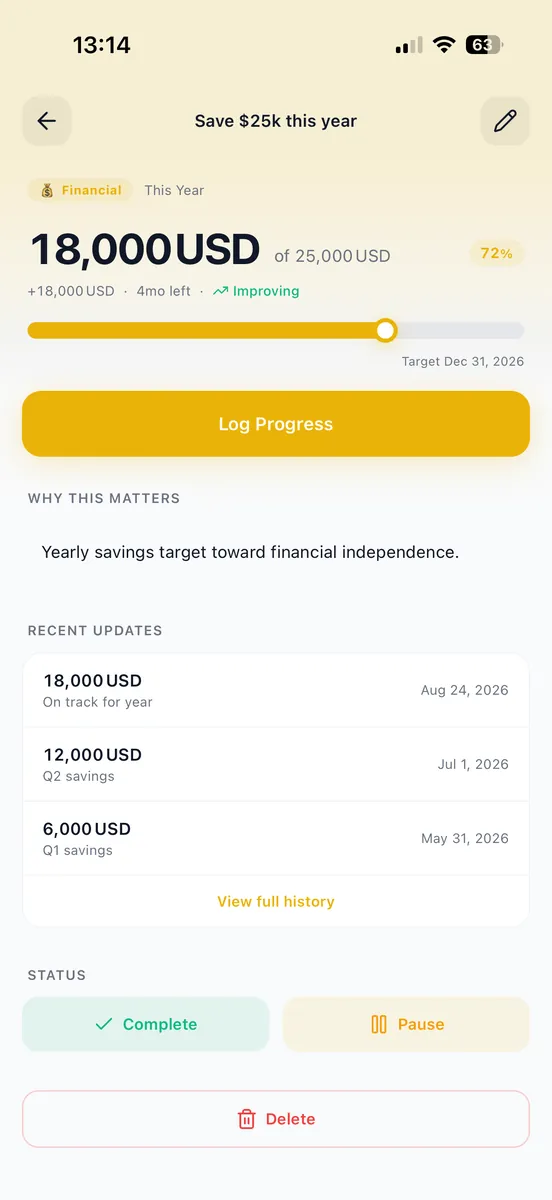
Use a target tracker when success can be expressed as a number. Record the starting value, target, deadline, and current total. If you want to save money over 12 weeks, record each contribution toward the total and plan for an equal amount each week. The tracker helps you compare your current amount with the amount planned by that point. If your target is a savings amount, use the savings challenge tracker to keep the challenge in one place.
3. Project Tracker for Finished Deliverables
A project tracker fits work that ends with a finished item. For a portfolio, record milestones such as selecting work, drafting descriptions, reviewing, and publishing, along with the next unfinished action. This shows what remains between today and the deliverable.
A count of completed tasks can hide a blocked milestone. If several small tasks are done but the review is still waiting on a decision, the milestone gives a clearer view of what is holding up publication. If the broad goal and its measurable objectives keep getting mixed together, use this goal-versus-objective test before choosing the progress field.
4. Evidence Log for Non-Numeric Goals
Some goals call for judgment rather than a single total. To improve presentation clarity, record the date, the presentation, a specific observation, and the next adjustment. Use the same question each time, such as: could the audience identify the requested next step? Comparing dated notes can show how your evidence changes over time and what to practice next.
One goal may need a primary tracker and one supporting behavior. For a reading target, pages completed can be the primary record, with reading sessions as support. Keep the records that answer those questions; you do not need two complete tracking systems.
Should You Use an App, Spreadsheet, or Paper?
The four formats above describe what to record. The tool is where that record lives. Choose the place that makes updates easy without adding unnecessary upkeep.

| Tool | Best fit | Update method | Practical drawback |
|---|---|---|---|
| Goal tracker app | Recurring check-ins and daily work kept together | Check in after an action or update progress when it changes | Another place to maintain if your work already lives elsewhere; verify the reminders and progress views you need |
| Google Sheets spreadsheet | Custom numeric fields or charts | Enter a row or update the current total | You maintain the layout and calculations. Start with date, planned progress, actual progress, current total, and next action |
| Paper log | Marking progress beside the work | Add a checkmark, note, or total by hand | Totals require manual updates, and searching older entries is harder. For a checkbox-based record you can print, use the printable habit tracker generator. |
| Existing task manager | A goal made mostly of deliverables | Update tasks and milestones as work moves | Completed tasks may not show movement toward the overall goal |
If recurring habits are the main thing you need to record, compare the free habit tracker options before adding another tool. Record your goal and its next task in Loggd if you want habits, tasks, goals, and focus time together in one app.
Copy these fields into the tool you choose:
- Goal:
- Finish condition:
- Progress field:
- Update trigger:
- Weekly review time:
- Next action:
 Loggd · by the makers of this blog
Set a goal and track it every day.
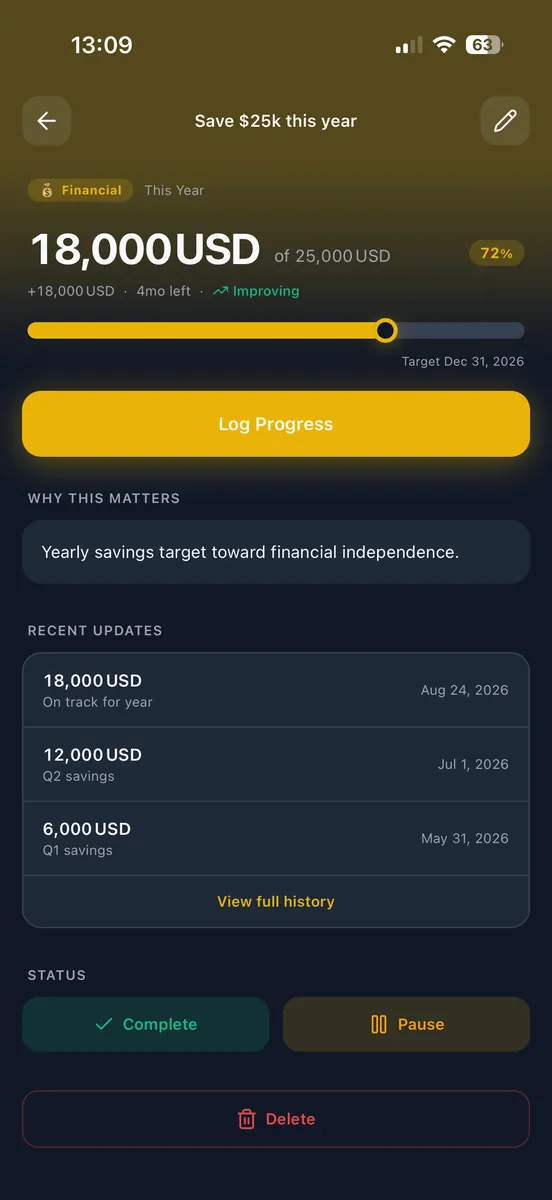
In the free Loggd app a goal has a target, a deadline and milestones, next to the daily habits that move it.


Free plan with no time limit. No credit card.


Set Up One Goal From Start to First Check-In
The CDC describes SMART goals as specific, measurable, achievable, relevant, and time-bound. For your reading goal, that means naming the book, counting pages, connecting the goal to a reason you care about, and setting a four-week deadline. The tracker can show whether your plan is moving; it cannot decide whether the schedule fits your actual week.
Set up the example like this:
- Goal: Finish the 240-page book.
- Deadline: Four weeks from the start date.
- Progress field: Pages completed out of 240.
- Planned pace: 60 pages per week.
- Reading schedule: 12 pages each weekday.
Before you commit to the full month, try reading 12 pages in an ordinary available time slot. If that amount does not fit, adjust the plan while it is still easy to change. A useful commitment names the behavior, allows for occasional lapses, and works with the week you actually have.
Set the logging trigger for the end of each reading session. Enter the last page you finished, using the same edition throughout, so you can keep a reliable total instead of reconstructing it later. Pages completed measure progress toward the target; completed reading sessions show the supporting behavior.
Put the weekly review on Friday, after the final planned session. Compare the actual page total with the cumulative plan, then choose what to do next. Your first action is to read pages 1 through 12 after lunch on Monday. Place a reminder somewhere you will see it before lunch, such as on your calendar or beside the book.
If a full session does not fit one day, a shorter session can keep the behavior manageable. Record the pages you actually finish, then take any missed amount to the Friday review. The tracker should make the next decision easier, not turn one missed session into a reason to abandon the plan.
What Should You Update Daily, Weekly, and Monthly?
Update the record when the tracked event happens; review the plan at a separate scheduled time. That keeps a quick entry from turning into a second planning session.
For a daily habit, record completion after the action. For a numeric target, enter the amount when it changes. For a project, update the milestone or next action after a meaningful work session. For a qualitative goal, add a short observation after a relevant event. A quick entry of about a minute and a weekly review with ten minutes reserved are workable starting points. Adjust them if they do not suit your routine.
Use this checklist at your weekly review:
- Enter any missing progress you know for certain.
- Compare actual progress with the planned checkpoint.
- Identify the specific obstacle, if there was one.
- Choose whether to keep or revise the plan.
- Write the next action and when you will do it.
In the reading example, the first Friday record shows 48 pages against 60 planned, a 12-page gap. Identify the missed session or other specific obstacle instead of treating the entire week as a failure. Decide how to adjust the pace in light of the remaining time and your schedule.
If accountability would help, share your current progress, the obstacle, and your next commitment with someone you choose at the weekly review. Agree first on what response would be useful, such as a check-in next week. You do not need to make the goal public.
For a monthly goal, use a monthly checkpoint to revisit the target and deadline, while still entering progress when relevant events happen. For a yearly goal, check its direction monthly rather than waiting until December. If your tracker has become crowded, remove fields that have not changed a decision. Keep the progress measure, next action, and review date.
How to Restart After Missed Days or Lost Progress
Record your current state honestly, then choose the next scheduled action. Keep completed progress even when a streak ends. A missed entry and missed work are different: backfill an entry when you know what happened, but leave an uncertain record blank rather than marking it as a completion or a failure.
Use this recovery sequence:
- Establish your actual position. Enter the progress you can verify, such as the last page read or the last completed project milestone.
- Identify what blocked the work. Was the action too long for the available time, was the reminder easy to miss, or was a needed step unclear?
- Change the remaining workload, schedule, or deadline. Choose an adjustment that fits the time and resources you have left.
- Schedule the next manageable action. Put a specific action on the calendar or in the place where you will see it.
In the reading example, you finished 48 pages in week one, leaving 192 pages across the next three weeks. To keep the original deadline, you need to read 64 pages per week. One weekday plan is 13 pages on four days and 12 pages on the fifth. That is a choice, not an automatic catch-up requirement. If that pace does not fit your available time, set a later deadline or choose a smaller reading target instead.
For a habit, restart at the next scheduled opportunity. If the same obstacle keeps coming up, make the action smaller or move it to a more workable time. For a project, unblock or replace the next action rather than adding more tasks to a stuck list. If too many recurring habits are competing for attention, use this guide to choosing how many habits to track to reduce the load before rebuilding your schedule.
Keep the next review date, even when the target changes.
Use Your Goal Tracker to Choose Next Year's Goals
At the end of the year or goal period, gather the records that show where you started, your latest result, completed milestones, missed periods, and notes that helped you make decisions. Compare them with the original reason you chose the goal. The record can inform your next choice, but it cannot tell you why a result happened on its own.
Choose what to do with the goal:
- Continue when the goal still matters and the routine fits your life.
- Change when the aim still matters but the measure, schedule, or scope needs revision.
- Stop when the goal no longer earns the time it takes.
Look at the evidence that matches the tracker. For a habit, compare scheduled opportunities with completions. For a numeric target, compare the starting and ending values. For a project, check which milestones were delivered. For a non-numeric goal, compare early and recent notes using the same review questions.
Say you tracked presentation practice but your notes rarely addressed whether the audience understood the main point. If audience understanding still matters, change next year’s evidence field to record that question explicitly. That gives you a clearer basis for the next review.
For each goal you keep, write its first action and set a review date. Archive finished or dropped goals with a short reason, so they do not stay on your active list as obligations.
Goal Tracker Questions
How Many Goals Should I Track at Once?
Track the goals you can review and act on without making the tracker another burden. If you are missing reviews or struggling to choose a next action, pause or archive some goals, then keep the few that matter most for the current period.